Want your messages to pop in Discord? Whether you're adding emphasis, organizing announcements, or just flexing some formatting flair, Discord uses Markdown, a lightweight syntax that helps you style your text easily.
In this guide, you'll learn how to bold, italicize, underline, strikethrough, and more in just a few keystrokes.
Basic Discord Text Formatting
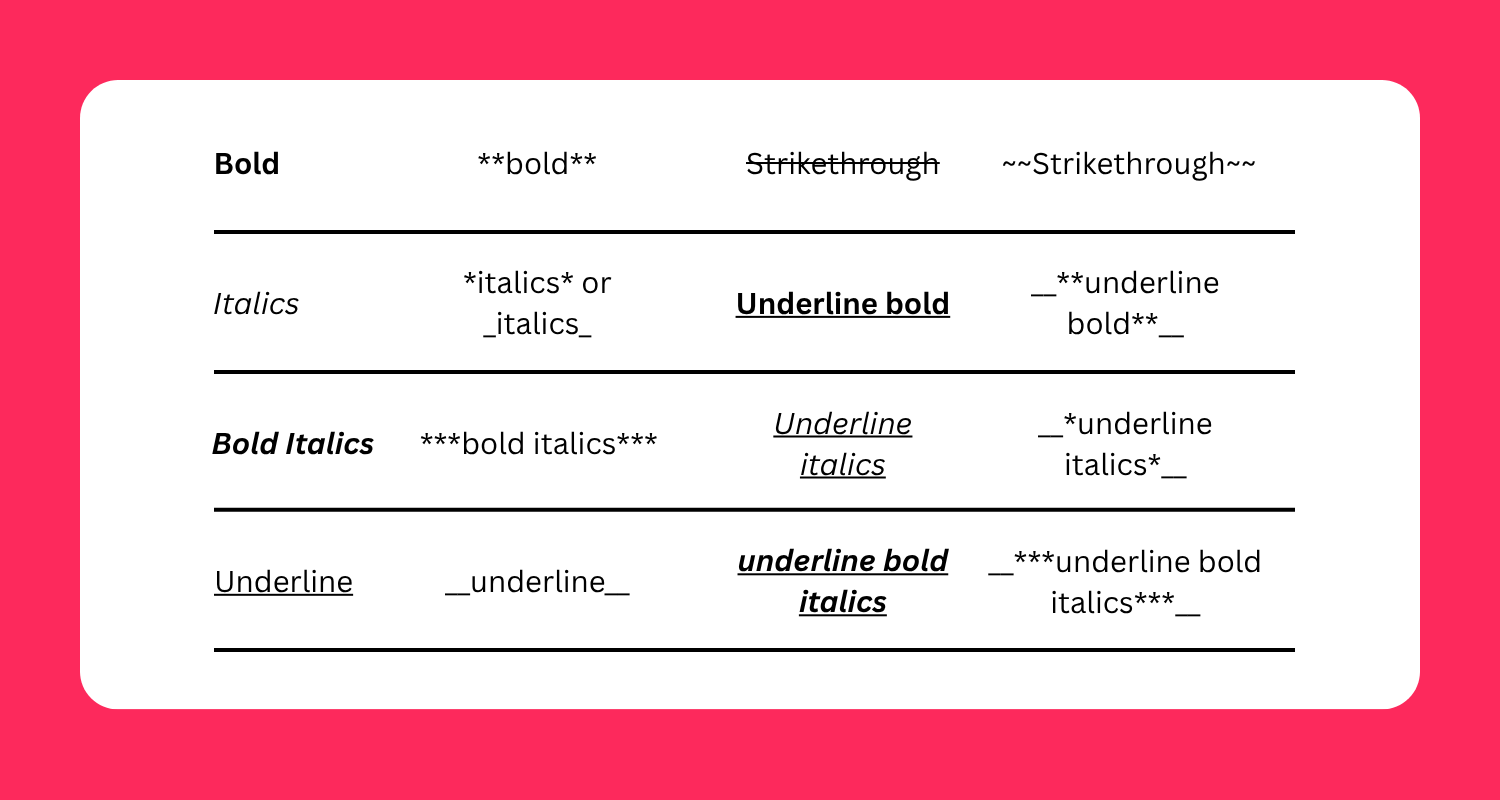
Bold
Use double asterisks ** to bold text.
Example: ** Bold **
Italics
Use single asterisks * or underscores _.
Example: * italics * or _ italics _
Bold + Italic
Combine three asterisks ***.
Example: *** bold italics ***
Underline
Wrap your text in double underscores __.
Example: __ underline __
Strikethrough
Use double tildes ~~.
Example: ~~Strikethrough~~
Advanced Formatting
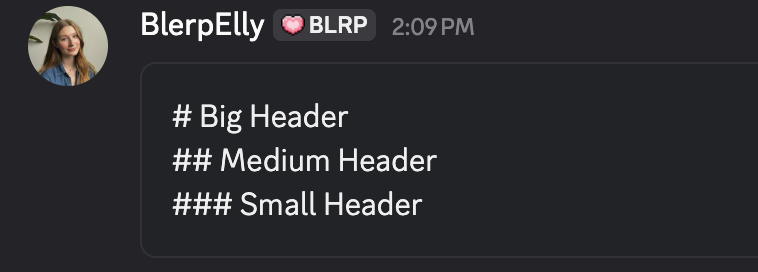
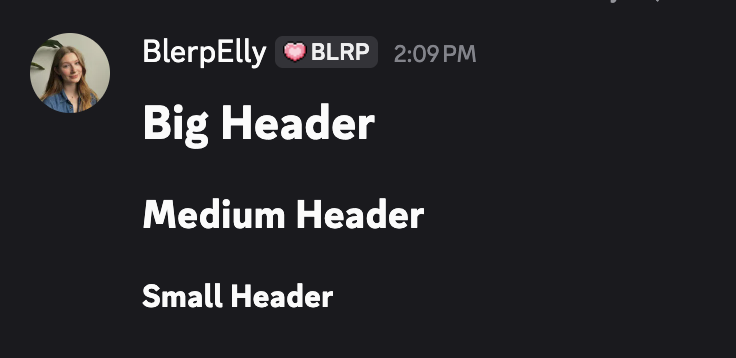
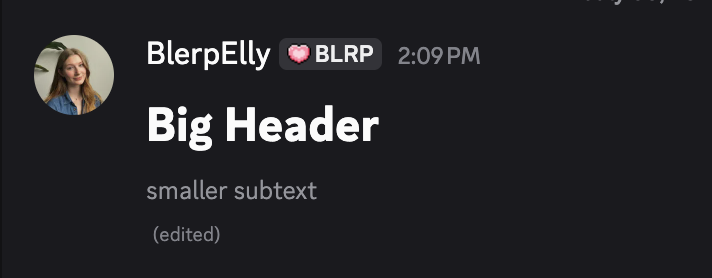
Headers
Use hash/pound signs to create headers.
Example:
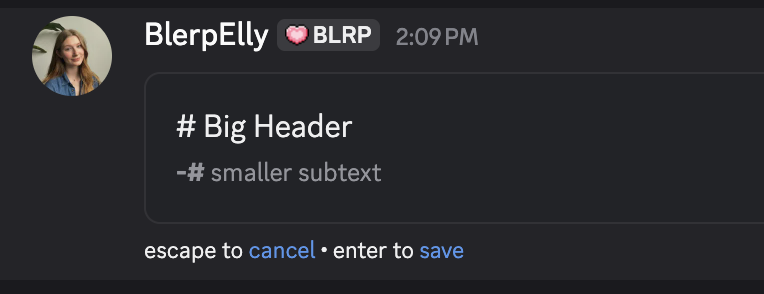
Subtext
Use ( -# ) sign to create subtext.
Example:
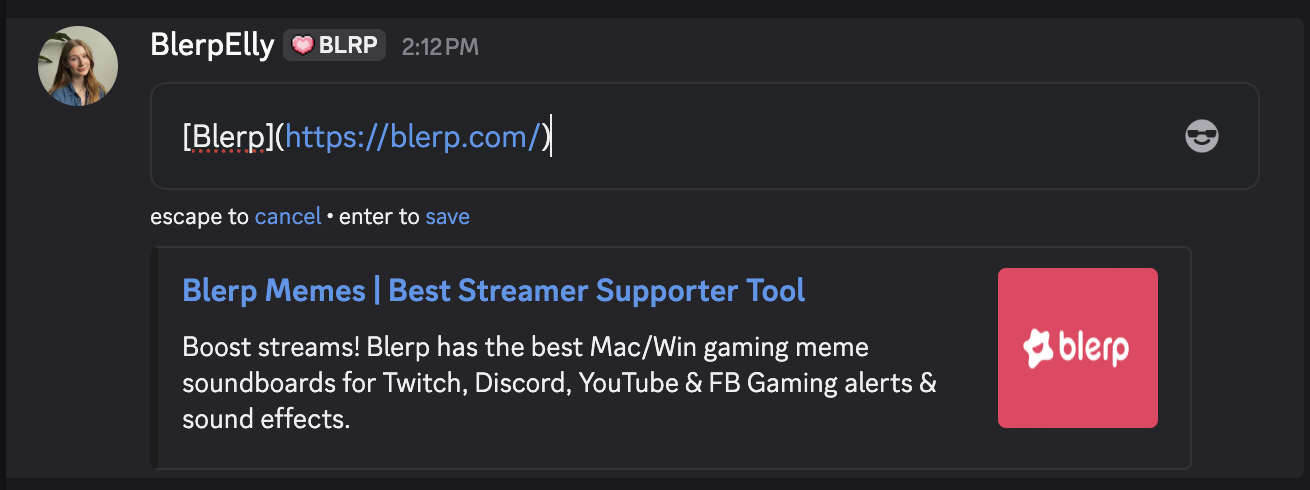
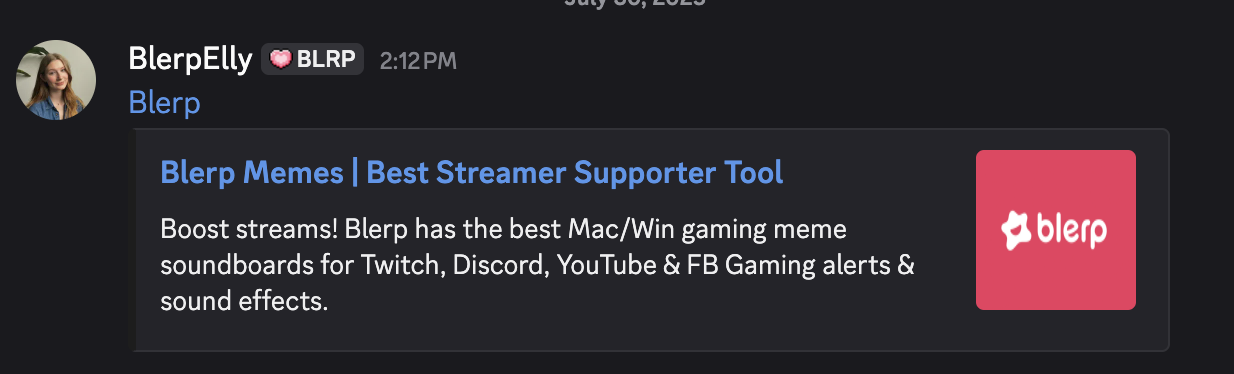
Masked Links
Insert the text you want displayed in brackets and then the URL in parentheses.
Example:
Final Tips
- Markdown works in DMs, channels, and servers.
- Be careful with spacing, no extra spaces between formatting symbols and text.
- Use formatting to enhance, not clutter, your messages.
Mastering Discord text formatting gives your messages more personality and clarity. Now that you’ve got the Markdown basics down, go flex your new skills in chat.